Digital Monday: Decluttering Your Smartphone Home Screen
How to transform your smartphone from an addictive pocket casino into a quiet, focused tool, and why the architecture of your first screen dictates your peace of mind.
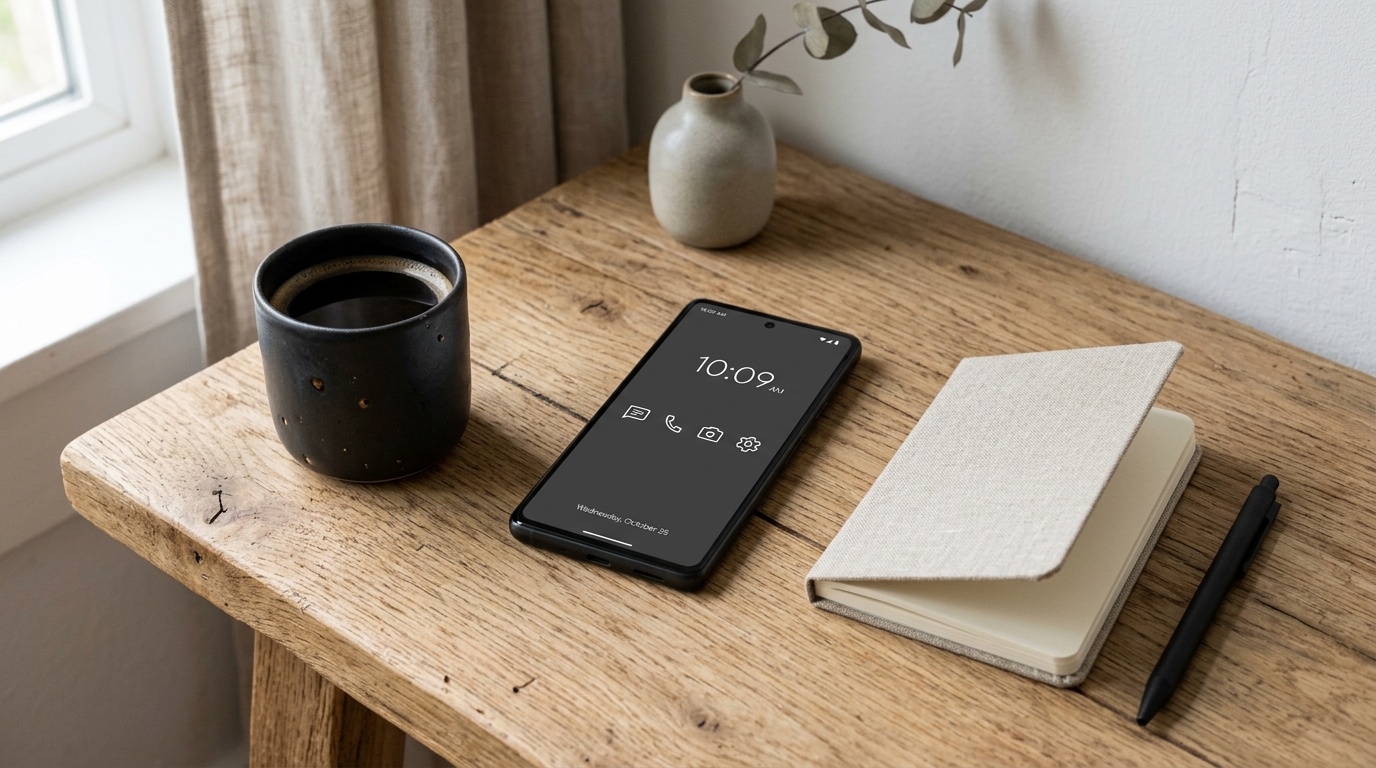
The Pocket Casino
Unlock your phone right now and observe your immediate emotional reaction.
For most people, tapping the lock screen is not an intentional act—it is an unconscious reflex repeated between 80 and 150 times a day. And the moment the display wakes up, you are assaulted by a digital Las Vegas:
- Crimson notification badges shouting for urgent attention;
- Saturated app icons engineered with the vibrant color psychology of candy wrappers;
- News widgets flashing alarming headlines designed to spike your cortisol;
- Social media algorithms waiting like slot machines, primed to exchange twenty minutes of your finite lifespan for variable dopamine rewards.
Former Google design ethicist Tristan Harris has repeatedly pointed out that smartphones are not passive objects. Thousands of the sharpest behavioral psychologists and software engineers on earth work full-time on the other side of your screen with a singular objective: to maximize the number of minutes your gaze remains trapped in their ecosystem.
When your home screen looks like a chaotic billboard, your brain is forced to make micro-decisions before you even open a single app. You set out to check the weather before a morning run, get ambushed by an unread badge on a messaging app, lose yourself in a thirty-minute comment thread, and lock the phone without ever learning whether it is going to rain.
To reclaim intentionality, you must redesign the sensory architecture of your primary device.
The “Tool vs. Slot Machine” Test
A hammer does not vibrate in your toolbox to remind you that nails are waiting. A fountain pen does not display a glowing red counter urging you to write another sentence.
True tools exist in quiet submission. They rest until summoned by your explicit will, perform their utility without distraction, and return to stillness the instant you put them down.
Smartphones, by default, are not configured as tools; they are configured as slot machines.
To invert this dynamic, we apply a strict litmus test to every icon competing for space on your device:
The Tool Criteria: Does this application serve a concrete, bounded utility when I actively seek it out (navigation, camera, quick note, boarding pass), or does it consume unbounded attention through an algorithmic stream of infinite scroll?
If an app delivers unbounded feeds—social feeds, algorithmic video reels, tabloid news, flash-sale promotions—it has no place on the prime real estate of your life.
The Zero-Screen Architecture
The most effective way to break unconscious phone addiction is not willpower; it is friction. By introducing deliberate structural friction between impulse and action, you give your prefrontal cortex time to wake up and ask: “Do I actually need this right now?”
The centerpiece of this strategy is the Zero Home Screen (or the Four-Tool Dock):
1. The Clean Slate
Remove every single widget, folder, and application icon from your primary screen. Your first screen should be an expanse of empty space—a serene, neutral wallpaper with perhaps only the time and date. When you unlock your phone, your eyes should rest upon quiet negative space rather than a screaming catalog of demands.
2. The Four Utilities
On your bottom dock, keep strictly four utilitarian, non-addictive functions:
- Phone / Contacts: For direct, synchronous human communication.
- Notes / Plain Text: To capture an idea, task, or fleeting thought before it evaporates.
- Calendar: To ground your awareness in the reality of your day.
- Camera: A functional lens to record a physical detail, a receipt, or a family moment.
Notice what is missing: no browser, no email, no messengers, no social media, no entertainment.
3. The Search-Only Rule
Where do the rest of your everyday apps go? On modern iOS and Android operating systems, every application remains instantly accessible through the App Library or the system search bar (pulling down on iOS or swiping up on Android).
When you want to hail a taxi, pay with your banking app, or check transit times, you swipe and type the first two letters of the app name. This tiny two-second hurdle completely dissolves the subconscious reflex of aimless tapping. You open an app because you had a clear thought, not because a colorful icon caught your peripheral vision.
Grayscale: Killing the Visual Sugar
The human brain evolved over hundreds of millennia to spot ripe fruit, lush vegetation, and danger through vivid color contrast. App designers exploit this evolutionary hardwiring ruthlessly.
A red notification dot triggers the same subconscious urgency as a drop of blood or a bright poisonous berry. The vivid gradient of an Instagram or TikTok logo is formulated to produce a micro-surge of curiosity.
When you toggle your screen to Grayscale (black and white), the magic spell evaporates instantly:
- Instagram becomes a dull, grey catalog of flat pictures;
- Notification badges lose their menacing urgency;
- Mobile games look lifeless and boring;
- The screen ceases to stimulate your dopamine pathways.
The smartphone is instantly demoted to what it should always have been: an electronic piece of paper. It remains just as effective for reading directions, replying to a message, or looking up a recipe, but the compulsive urge to linger for hours simply withers away.
Both iOS and Android permit setting up a triple-click shortcut on the side button or an accessibility tile to toggle grayscale on and off in half a second whenever you genuinely need to see color (such as reviewing a photo).
Deepen Your Understanding
To build a comprehensive digital fortress and reclaim hours of daily focus:
- Guide #10: Minimalist Smartphone Setup — Step-by-step technical blueprints for iOS and Android notification tiers and launcher alternatives.
- Guide #02: Digital Hygiene Principles — The foundational philosophy of intentional technology use in a hyper-connected era.
- Guide #12: Low-Information Diet — Protecting your cognitive bandwidth from reactive news consumption and outrage cycles.
- Guide #20: Deep Work and Single-Tasking — Training prolonged focus and eliminating the context-switching penalty.
Practice of the Week: The Digital Monday Home Screen Reset
Dedicate 15 minutes this evening to detoxify your handheld environment:
- Evacuate the First Screen: Move all apps off your primary home screen. Leave either pure emptiness or just the four essential tools in your bottom dock (Phone, Notes, Calendar, Camera).
- Silence the Badges: Go into your phone settings and turn off red badge icons for every single app that is not a direct personal communication tool. You do not need a badge to tell you that an airline sent a promo or a game has updated.
- Set Up Grayscale: Navigate to your Accessibility settings (
Color Filterson iOS,Color Correctionon Android) and set the display to Grayscale. Configure an accessibility shortcut so you can toggle it with a triple-click. - The Search-Only Experiment: For the next seven days, launch every secondary app exclusively by typing its name in the search bar. Observe how many times your finger reflexively reaches for a non-existent colorful icon—and enjoy the immediate return of quiet mental space.